Weight
141 g
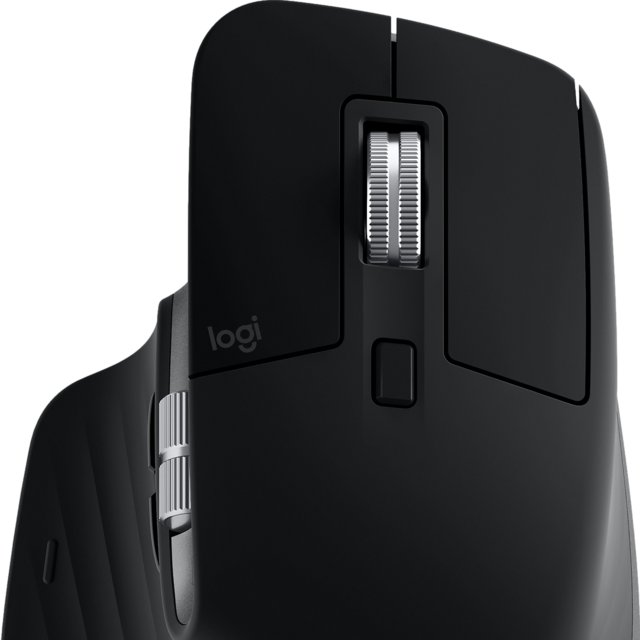
Logitech MX Master 3 (Mac) offers a balanced combination of features.
Performance
| Polling rate i | 125 Hz (108 others) |
| Maximum dpi i | 4000 DPI (15 others) |
| Minimum dpi i | 200 DPI (16 others) |
| Has adjustable dpi i | ✔ (349 others) |
General info
| Type i | Productivity (117 others) |
| Connection type i | 2.4GHz wireless, Bluetooth (59 others) |
| Sensor i | Logitech Darkfield (4 others) |
| Has gesture support i | ✔ (28 others) |
| Battery Life i | 1680 hours (3 others) |
| Can use while charging i | ✔ (223 others) |
| Has wireless charging i | ✖ |
Buttons
| Number of buttons i | 8 (29 others) |
| Number of side buttons i | 2 (253 others) |
| Number of programmable buttons i | 6 (126 others) |
| Has a dpi switching button i | ✔ (331 others) |
| Has a profile switching button i | ✖ |
Design
| Orientation i | Right-handed (220 others) |
| Weight i | 141 g (1 other) |
| Has rgb lighting i | ✔ (145 others) |
| Has a tilting scroll wheel i | ✖ |
| Has a thumb scroll wheel i | ✔ (11 others) |
| Has extra weights i | ✖ |
| Volume i | 536.98 cm³ (1 other) |
| Thickness i | 51 mm (1 other) |
| Height i | 124.9 mm (1 other) |
Similar products


Frequently Asked Questions
What is the connection type of the Logitech MX Master 3 (Mac)?
At 2.4GHz wireless, Bluetooth, the Logitech MX Master 3 (Mac) ranks #1 out of 209 — see ranking mouse products — one of the Highest connection type in this category.
What is the polling rate of the Logitech MX Master 3 (Mac)?
At 125 Hz, the Logitech MX Master 3 (Mac) is 94% below the category average for polling rate, ranking #285 out of 394 — see ranking mouse products.
How heavy is the Logitech MX Master 3 (Mac)?
At 141 g, the Logitech MX Master 3 (Mac) is 82% above the category average for weight, ranking #387 out of 399 — see ranking mouse products.
What is the maximum dpi of the Logitech MX Master 3 (Mac)?
At 4000 DPI, the Logitech MX Master 3 (Mac) is 76% below the category average for maximum dpi, ranking #256 out of 399 — see ranking mouse products.
What is the minimum dpi of the Logitech MX Master 3 (Mac)?
At 200 DPI, the Logitech MX Master 3 (Mac) is 60% below the category average for minimum dpi, ranking #215 out of 395 — see ranking mouse products.
What is the battery life of the Logitech MX Master 3 (Mac)?
At 1680 hours, the Logitech MX Master 3 (Mac) is 33% below the category average for battery life, ranking #80 out of 341 — see ranking mouse products.
How many buttons does the Logitech MX Master 3 (Mac) have?
At 8, the Logitech MX Master 3 (Mac) is 26% above the category average for number of buttons, ranking #47 out of 399 — see ranking mouse products.
How many side buttons does the Logitech MX Master 3 (Mac) have?
At 2, the Logitech MX Master 3 (Mac) is 23% below the category average for number of side buttons, ranking #65 out of 319 — see ranking mouse products.
Does the Logitech MX Master 3 (Mac) have wireless charging?
No, the Logitech MX Master 3 (Mac) does not have wireless charging. This feature is available in 14% of mouses.
How does it compare?
How does the Logitech MX Master 3 (Mac)'s polling rate compare to similar mousess?
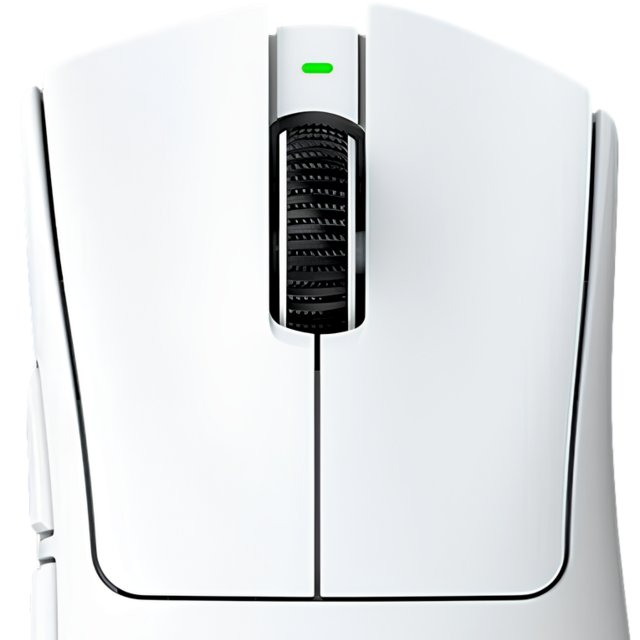
At 125 Hz, the Logitech MX Master 3 (Mac) trails the Razer DeathAdder V4 Pro (8000 Hz) by 98%.
How does the Logitech MX Master 3 (Mac)'s battery life compare to similar mousess?
At 1680 hours, the Logitech MX Master 3 (Mac) leads the Fantech Helios II Pro S (40 hours) by 98%.
How does the Logitech MX Master 3 (Mac)'s maximum dpi compare to similar mousess?
At 4000 DPI, the Logitech MX Master 3 (Mac) trails the Razer DeathAdder V4 Pro (45000 DPI) by 91%.
How does the Logitech MX Master 3 (Mac)'s minimum dpi compare to similar mousess?
At 200 DPI, the Logitech MX Master 3 (Mac) trails the Attack Shark R2 Pro (800 DPI) by 75%.
How does the Logitech MX Master 3 (Mac)'s weight compare to similar mousess?
At 141 g, the Logitech MX Master 3 (Mac) trails the Scyrox V8 (36 g) by 74%.
How does the Logitech MX Master 3 (Mac)'s number of buttons compare to similar mousess?
At 8, the Logitech MX Master 3 (Mac) leads the Razer DeathAdder V4 Pro (6) by 25%.